
MeetingOS vs. AI notetakers
Why MeetingOS beats every AI notetaker.
AI notetakers join your call, record what’s said, and hand you a transcript. MeetingOS works before, during, and long after the meeting ends.
Try Elite free for 21 days. Stay on the Free plan if it’s not for you.Typical AI notetakerMore notes. Same work.
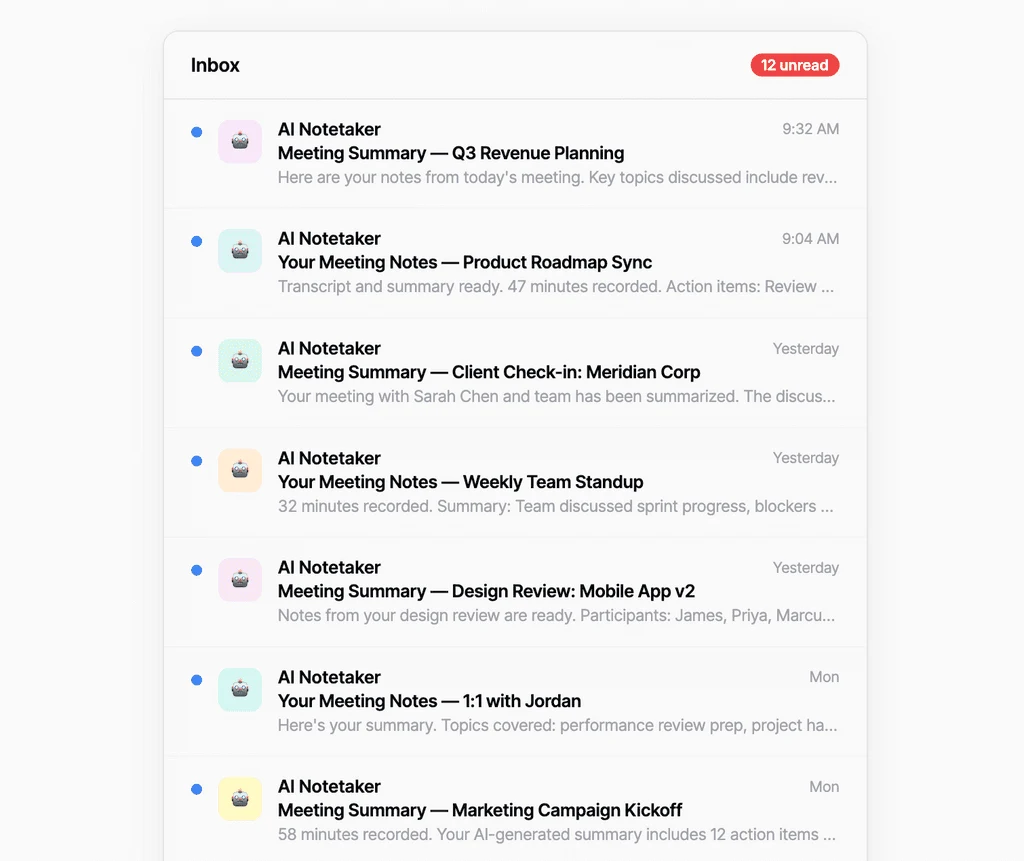
Meetings are serious business.
The scale is massive. The work should move faster.
Meetings run the world. One billion knowledge workers spend a huge chunk of their time in them, and businesses pour billions into making them happen. The question isn’t whether meetings matter. It’s whether the tools used to run them are anywhere close to good enough.
The AI notetaker trap
A transcript captures what was said. MeetingOS turns it into what gets done.
Let’s be honest about what an AI notetaker does. It joins your call as a silent attendee, records everything, and hands you a transcript and bullet-point summary that may or may not reflect what actually mattered. Then it waits for the next meeting.
It didn’t help you prepare. It didn’t keep the conversation on track. It didn’t assign the follow-ups, draft the next deliverable, remember what was decided last quarter, or make the next conversation smarter. And it cannot attend the important meetings that happen in person.
AI notetakers solve a documentation problem. But documentation was never the real problem. Meetings break when they lack purpose, structure, accountability, and momentum into what comes next.
A transcript captures what was said. MeetingOS turns it into what gets done. MeetingOS was built to solve the actual problem.
Why AI notetakers aren’t cutting it“The moment I saw MeetingOS, I knew Contio was onto something. Then I used MeetingOS, and immediately cancelled my notetaker for my entire team.”

A different category
What is a meeting operating system?
A meeting operating system is the infrastructure meetings have always needed but never had. It manages the complete lifecycle: preparation, execution, follow-through, and the organizational intelligence that compounds across all three.
Unlike a point solution built only for transcription, a meeting OS creates the agenda and context before anyone joins, guides the conversation and surfaces insights in real time, then turns what was said into structured summaries, assigned work, and first drafts.
Think of the operating system on your computer: it is the foundational layer that lets everything else run. A meeting operating system does the same for how an organization meets.
A notetaker is a passive observer. An operating system is infrastructure.Meet MeetingOS, the first operating system for meetingsHow MeetingOS works
No bot joins your meeting. Ever.
Every major AI notetaker works in roughly the same way: it dispatches a faceless digital attendee that sits in the participant list and records everything. Your clients see it, your team sees it, and everyone has to decide whether they are comfortable with it.
The awkwardness is real for clients who have not consented to a third-party bot, external participants who do not know what is being captured, and internal teams who feel surveilled rather than supported.
A bot also cannot sit in your conference room, capture an all-hands, join an offsite, or follow a one-on-one walk. It is limited to virtual meetings even when some of your most important conversations happen face-to-face.
MeetingOS is a desktop or mobile app that powers your team. There is no bot in the participant list and no third-party recorder to explain. That means it can support virtual, hybrid, and fully in-person conversations wherever humans meet.
This is a fundamentally different philosophy: AI should be a tool for the people in the room, not a surveillance layer above them.
Learn how MeetingOS worksThe complete meeting lifecycle
Before. During. After. Still working.
Before
AI agendas, templates, and private talking points.
MeetingOS starts working before anyone hits join—and that is where the biggest impact happens. AI notetakers arrive when the call starts, missing the preparation that determines whether the meeting succeeds.
Plan better meetingsAI-powered agenda builder
Walk in with topics, owners, time allocations, and intent. MeetingOS can draft the agenda from a brief, a voice prompt, or the historical context behind the meeting.
Reusable meeting templates
Replicate your best weekly syncs, quarterly reviews, and client kickoffs instead of rebuilding every recurring meeting from a blank page.
Private talking points
Keep a personal, invisible guide for the questions and ideas you need to raise—without broadcasting your strategy to everyone in the room.
During
Live collaboration, real-time AI, and structured capture.
Inside a MeetingOS meeting, the agenda becomes a shared working surface and AI becomes an active thought partner. A typical notetaker listens. MeetingOS helps the room think and work.
Run sharper meetingsLive shared agenda
Everyone follows the same structure, contributes in real time, and sees the meeting move forward instead of forgetting the static agenda sent beforehand.
Real-time AI insights
Ask questions during the meeting and get answers grounded in your organization’s history. Surface the response privately or share it with the room.
Intelligent real-time capture
MeetingOS continuously distills the conversation into structured decisions, notes, and action items—without storing raw audio or video.
“I use MeetingOS to define objectives before meetings and manage time against them. That structure has reduced meeting length by about five minutes on average. The summaries provide continuity between conversations and make it easier to track decisions and action items over time.”
After
AI summaries, action items, and finalization.
An AI notetaker gives you a transcript or summary and stops. MeetingOS keeps working until decisions are clear, ownership is assigned, and the meeting reaches a real end state.
65% say meetings keep them from completing their work44% of meeting action items never get completed71% fail to achieve their objectives due to poor follow-through
Create effortless next steps Decision-ready summaries
Get a clean narrative of what was covered, what was decided, and what happens next—not a wall of transcript text or generic bullet points.
Structured action items
Every follow-up has an owner, due date, and direct link to the meeting where the commitment was made, so it stays visible and accountable.
Formal meeting finalization
Finalize, share, and archive the meeting. There is no ambiguity about what was decided, who is responsible, or whether the loop was closed.
“Contio is one of my new BFFs—it rides shotgun on all my interactions. MeetingOS is keeping track of everything so at the end of the day—or week—I can come back and make sure it is getting done.”
From conversation to deliverable
MeetingOS doesn’t stop at the summary.
After a great meeting, someone still has to write everything up. Someone volunteers, it takes three days, and the momentum dies. MeetingOS handles the summary and next steps for you.
The AI does more than summarize. A strategy session becomes a draft plan. A client kickoff becomes the first version of a proposal. A campaign brainstorm becomes the bones of a brief. A product discussion becomes the foundation of a spec.
The conversation becomes the asset and the discussion becomes the deliverable. Every meeting produces forward momentum instead of another writing task for someone who is already overloaded.
You never have to start from scratch again.Organizational meeting intelligence
Compounding meeting intelligence that grows with every meeting.
Organizational meeting intelligence is the cumulative knowledge from every meeting, interaction, decision, and conversation. It is the differentiator AI notetakers cannot match—and the reason MeetingOS customers do not go back.
Every agenda, decision, action item, and conversation feeds a growing body of organizational meeting intelligence that the AI can draw on in every future meeting. The value does not reset when a call ends; it accumulates.
Think of it as organizational memory that actually works.
Ask about a decision made six months ago. Get a briefing based on what happened since the last meeting. Spot patterns across conversations, see what your team keeps revisiting, and understand what is getting done—or what continues to slip.
The longer you use MeetingOS, the more it learns your language, priorities, people, and open loops. Every meeting adds to the flywheel and every AI interaction sharpens it. The system becomes more useful, more contextual, and more specific to your business over weeks, months, and years.
Your AI notetaker knows what was said on Tuesday’s call. MeetingOS knows your business.
That compounding effect is something a passive notetaker cannot replicate. A notetaker stores isolated records. MeetingOS connects them, learns from them, and puts that intelligence back to work.
“I’ve used a few other notetakers in the past, and ran MeetingOS in the background. The summaries are much more accurate and concise, but the ability to expand on those notes is great. I love that I can Ask Contio Anything rather than going to a specific meeting. It knows exactly what to look for.”
Connected context Gmail
Gmail Google Drive
 Google Calendar
 Microsoft Outlook
 SharePointSee how MeetingOS works with your tools
Meeting intelligence that understands the work around it.
Most tools treat integrations as a convenience: connect the calendar, sync the drive, check the box. MeetingOS treats connected tools as a library of organizational context that makes every meeting smarter.
Before the meeting, it knows who is attending and why, reads the email thread that led to the conversation, and understands the documents your team has been working on. It walks into the room already briefed and briefs you just as thoroughly.
During the meeting, that connected knowledge becomes a live resource. Ask a question and MeetingOS draws from meeting history, emails, documents, and calendar context—not only the words spoken on this call.
Afterward, the same intelligence informs what it creates. A follow-up email reflects the full client history; a strategy document builds on work your team already completed. Nothing exists in isolation.
This context remains your personal intelligence layer. It is never exposed to other meeting participants or surfaced outside your own experience. What you connect stays yours.
AI notetakers capture what was said. MeetingOS understands the context in which the meeting happened.
GmailGoogle DriveGoogle CalendarMicrosoft OutlookSharePoint
Full feature comparison
MeetingOS vs. a typical AI notetaker.
Compare the complete workflow—not just the notes that arrive afterward.
| Capability | MeetingOS | Typical AI notetaker |
|---|---|---|
| Before the meeting | ||
| AI-drafted agendas | ✓From briefs, voice prompts, and history | ×Not available |
| Reusable templates | ✓Built for recurring meeting types | –Limited or none |
| Private talking points | ✓Visible only to you | ×Not available |
| How it captures | ||
| Works in-person and hybrid | ✓Any device, any setting | –Virtual meetings only |
| Real-time transcription | ✓Connected to the agenda, action items, and AI | –Standalone transcript |
| Bot-free! No bot joins your call | ✓Yes | ×Requires a bot attendee |
| During the meeting | ||
| Live shared agenda | ✓Collaborative, real-time meeting surface | ×Not available |
| Real-time AI insights from organizational history | ✓Query past meetings, decisions, and context mid-meeting | ×Not available |
| Intelligent capture (not just recording) | ✓Structured notes, decisions, and action items as you go | –Raw transcript with auto-summary |
| After the meeting | ||
| AI-generated summaries | ✓Structured and decision-focused | –Auto-generated bullet points |
| Structured action items | ✓Owner, due date, and source meeting | –Limited structure |
| Formal finalization | ✓Finalize, share, and archive | ×Not available |
| AI document drafting | ✓First drafts from meeting context | ×Not available |
| Organizational intelligence | ||
| Organizational memory | ✓Gets smarter with every meeting | –Each meeting stays isolated |
| Cross-meeting search and AI retrieval | ✓Ask about any decision or discussion | –Basic transcript search |
| Connected context | ✓Email, documents, and calendar | –Usually calendar sync only |
| Privacy and security | ||
| No data shared with 3rd party AI models | ✓Data stays inside Contio’s secure private cloud | –Meetings are routed to third-party LLMs; training policies vary |
| Audio storage | ✓Zero-recording architecture | –Typically records and stores audio |
| AI processing and data handling | ✓100% secure private cloud | –Often routed to third-party LLMs |
| Compliance | ✓SOC 2 Type I and II certified | –Varies by provider |
| Pricing | ||
| Free tier | ✓Up to 20 meetings per month; no credit card | –Varies |
| Paid plans | ✓Competitive plans for individuals and teams | –$10–30+ per user/month typical |
Swipe horizontally to see the full comparison.
Who MeetingOS is built for
For teams whose meetings drive the business.
Executive teams
Every decision carries weight. MeetingOS gives CEOs and leaders the structure, accountability, and organizational memory to lead with confidence.
Client-facing teams
For consultants, agencies, financial advisors, and other teams where meetings are the work. Save hours of preparation and turn every client conversation into a deliverable.
Operations leaders
Stop following up on follow-ups. MeetingOS keeps project details straight and closes the loop with less overhead.
Founders
Protect institutional knowledge from scattered notes and inconsistent recaps while the company, team, and number of meetings grow.
The one thing all of these people have in common:They stop accepting tools that leave every next step to them.
A fair comparison
When is an AI notetaker the right choice?
If all you need is a searchable transcript archive for virtual calls, and you do not need preparation tools, structured action items, organizational memory, or support for in-person meetings, a standalone notetaker may serve you well. For teams that only need to know what was said, it delivers on that narrow promise.
But if meetings drive decisions—and those decisions drive your business—you need more than a recording. You need a meeting operating system.Your meetings stay yours
Security without compromise.
MeetingOS processes AI inside Contio’s secure private cloud. Audio is never recorded or stored, and your data is never used to train foundational models.
Unlike tools that route meeting data to third-party model providers, MeetingOS keeps your data inside Contio’s controlled infrastructure. Your meetings remain private while still benefiting from real-time AI.
- SOC 2 Type I and II certified
- Zero-recording architecture
- 100% private-cloud processing
- No training on your data
Frequently asked questions
AI notetakers, MeetingOS, and what changes.
What is a meeting operating system?+
A meeting operating system manages the complete meeting lifecycle: preparation, execution, follow-through, and the organizational intelligence that compounds across all three.
What’s the difference between MeetingOS and an AI notetaker?+
An AI notetaker primarily records, transcribes, and summarizes a call. MeetingOS prepares you before the meeting, supports the conversation in real time, and turns decisions into assigned work and first drafts afterward.
Why isn’t an AI notetaker enough for my team?+
A notetaker solves the narrow problem of documenting a virtual call. It does not create the game plan, guide the live conversation, preserve private talking points, assign structured follow-through, support in-person meetings, or build compounding organizational intelligence.
Does MeetingOS require a bot or record meeting audio?+
No. MeetingOS uses a zero-recording architecture and does not require a bot to join the participant list. It works for virtual, hybrid, and fully in-person meetings.
Does MeetingOS transcribe meetings?+
MeetingOS intelligently captures and synthesizes the conversation in real time, but the transcript is connected to the agenda, decisions, action items, and AI—not treated as the final product. Audio and video are never stored.
How does MeetingOS handle action items?+
MeetingOS captures structured action items with an owner, due date, and direct connection to the meeting where the commitment was made.
Can MeetingOS turn conversations into drafts and documents?+
Yes. MeetingOS can use the conversation and connected context to create first drafts of follow-up emails, proposals, plans, briefs, and other work.
How does MeetingOS get smarter over time?+
Each meeting adds decisions, commitments, context, and relationships to your organizational intelligence. MeetingOS can use that accumulated knowledge in future meetings and drafts.
What is organizational meeting intelligence?+
Organizational meeting intelligence is the cumulative knowledge created by your meetings: decisions, commitments, context, relationships, and recurring patterns. MeetingOS draws on that shared history to make each future meeting more useful.
Can AI help my team remember decisions from past meetings?+
Yes. MeetingOS lets you ask about previous decisions and discussions across meetings, see where a commitment originated, and bring relevant history into the next conversation without searching isolated transcripts.
Is MeetingOS free?+
Yes. The Free plan includes up to 20 meetings each month with no credit card required. New users can also try Elite free for 21 days.
What integrations does MeetingOS support?+
MeetingOS connects with Google and Microsoft calendars, email and document tools, major video platforms, Slack, Salesforce, and additional systems through the Contio API and MCP.
See what happens when every conversation flows into the work.
Try Elite free for 21 days. Stay on the Free plan if it’s not for you.
Come see how AI transforms the wealth management firm.
Walk in prepared. Deliver a white-glove client experience without the annoying bots. And let the conversation flow right into the work.
Put Benny to work on your next renewal.
You run the strategy, leverage your expertise, and focus on relationships. Hire Benny to handle the busywork.